






When we started SparkLayer, the challenge we set out to solve was that buying wholesale felt nothing like buying as a consumer.
As shoppers, we've had it easy for years. You reorder your weekly grocery shop in a couple of taps, and the brands you buy from remember what you bought last time. Consumer eCommerce has quietly stripped the friction out of repeat buying - and the brands people come back to are the ones that do it well.
B2B never quite caught up. The same buyer, placing the same order every week, was still expected to start from scratch each time - finding the SKUs, re-keying the quantities, and hoping nothing got missed. We built SparkLayer to change that, and to make wholesale ordering as quick to repeat as the consumer experiences everyone already knows.
Shopping Lists are a great example of that in action.
What are Shopping Lists?
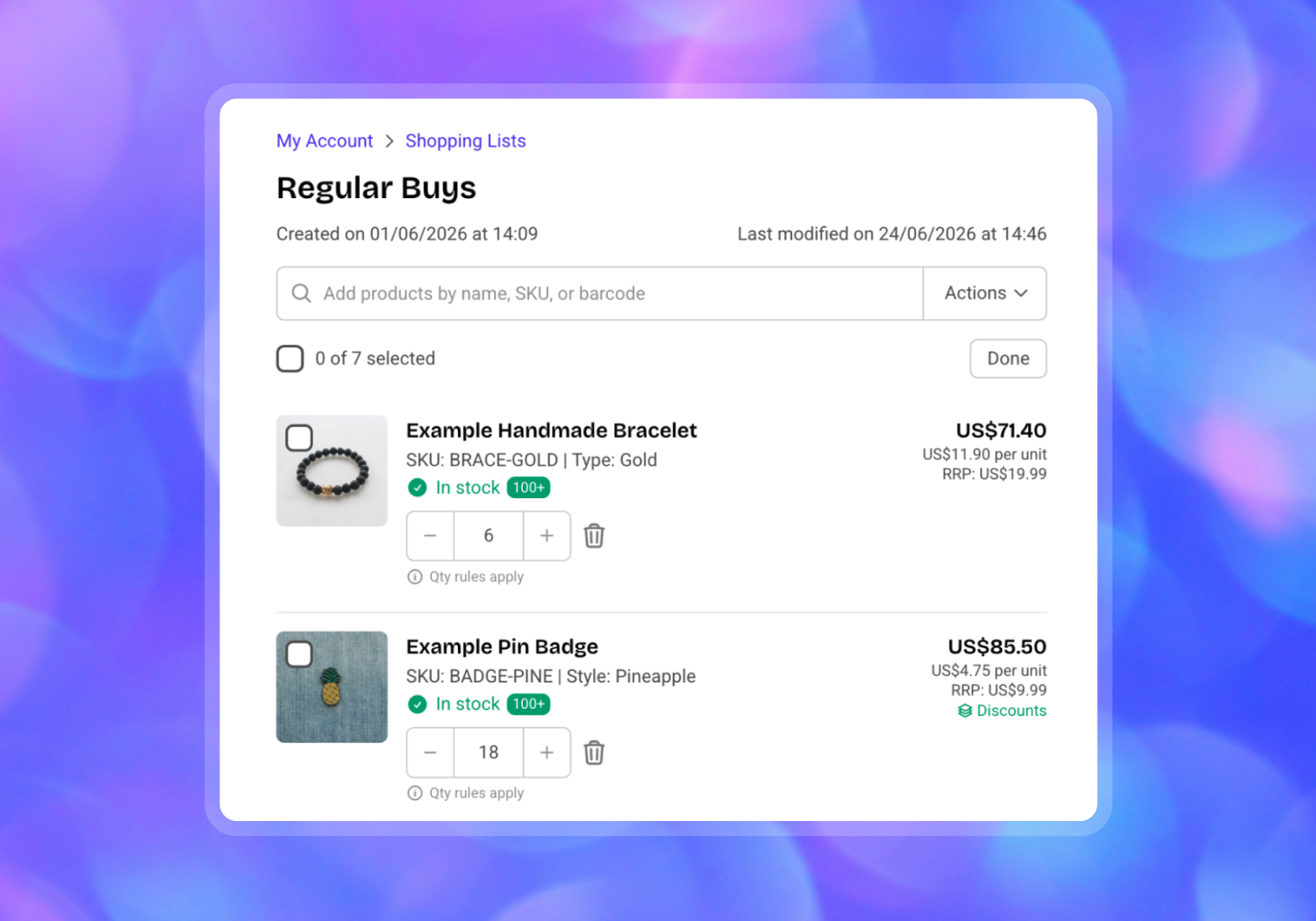
Shopping Lists let your B2B customers save the products they buy regularly into named lists they can reuse whenever they need to. Instead of rebuilding an order each time, a customer builds a list once - "Every month order", "Regular buys", "Spring range" - and adds it to their cart in seconds when they're ready to reorder.
It's a simple idea that makes a real difference to the customers who order from you most, and to the sales agents ordering on their behalf.
How it works
Shopping Lists fit naturally into how your customers already browse and order.
Save products from anywhere
Customers can add a product to a list straight from any product page, or from the cart while they're building an order. They choose an existing list or create a new one on the spot - no need to interrupt what they're doing.
Create and name as many lists as you need
There's no limit to how a customer organises their ordering. Separate lists for monthly restocks, seasonal lines, or one-off planned orders all live side by side, each with its own name and last-updated date.
Manage everything from My Account
Every list can be viewed and managed from the account area. Customers can preview exactly what's in a list, add new products by name, SKU, or barcode, adjust quantities, and remove items - then save their changes. Starting a new list from here leaves the current cart untouched, so there's no need to clear an order in progress.
Reorder in seconds
When it's time to buy, customers add a whole list to their cart in one step, or select just the items they need. From there, it's straight to checkout.
Export to CSV
Any list can be downloaded as a CSV, complete with the product name, SKU, quantity, price, and barcode. It's an easy way to share a list internally, keep a record, or work with it offline.
Built in, not bolted on
Shopping Lists are built into SparkLayer, not bolted on as a separate app. That means they work with the way your customers already browse and order, rather than sitting awkwardly beside it. There's nothing extra to install and nothing to stitch together.
What you can use them for
A few of the ways Shopping Lists help your wholesale customers:
- Recurring orders - the core use case. Save a regular order once and reorder it in seconds, every time
- Seasonal ranges - keep a ready-made list for each season or collection, so restocking is effortless when the time comes
- Sales-assisted ordering - let your sales agents build and maintain lists on behalf of customers, ready to turn into orders
- Planning ahead - build an order over several days, adjusting as you go, before adding it to the cart
- Sharing across a team - export a list to CSV so colleagues can review or reorder without logging in
Built for the whole team
Shopping Lists are designed to work for everyone involved in a wholesale order.
For your customers - a faster, friction-free way to reorder the products they rely on, without hunting through your catalogue every time.
For your sales team - the ability to build and manage lists for customers, making repeat and sales-assisted ordering quicker to turn around.
For your business - more repeat orders with less hassle, and a buying experience that reflects how seriously you take your wholesale channel. When reordering is easy, customers come back more often.
Available now
Shopping Lists are available now to SparkLayer customers.
Want to see them in action? Head over to our demo store and give them a try.
For full setup instructions, visit our Shopping Lists Help Docs.
New to SparkLayer? Start a free trial and give your wholesale customers a faster way to reorder today.