
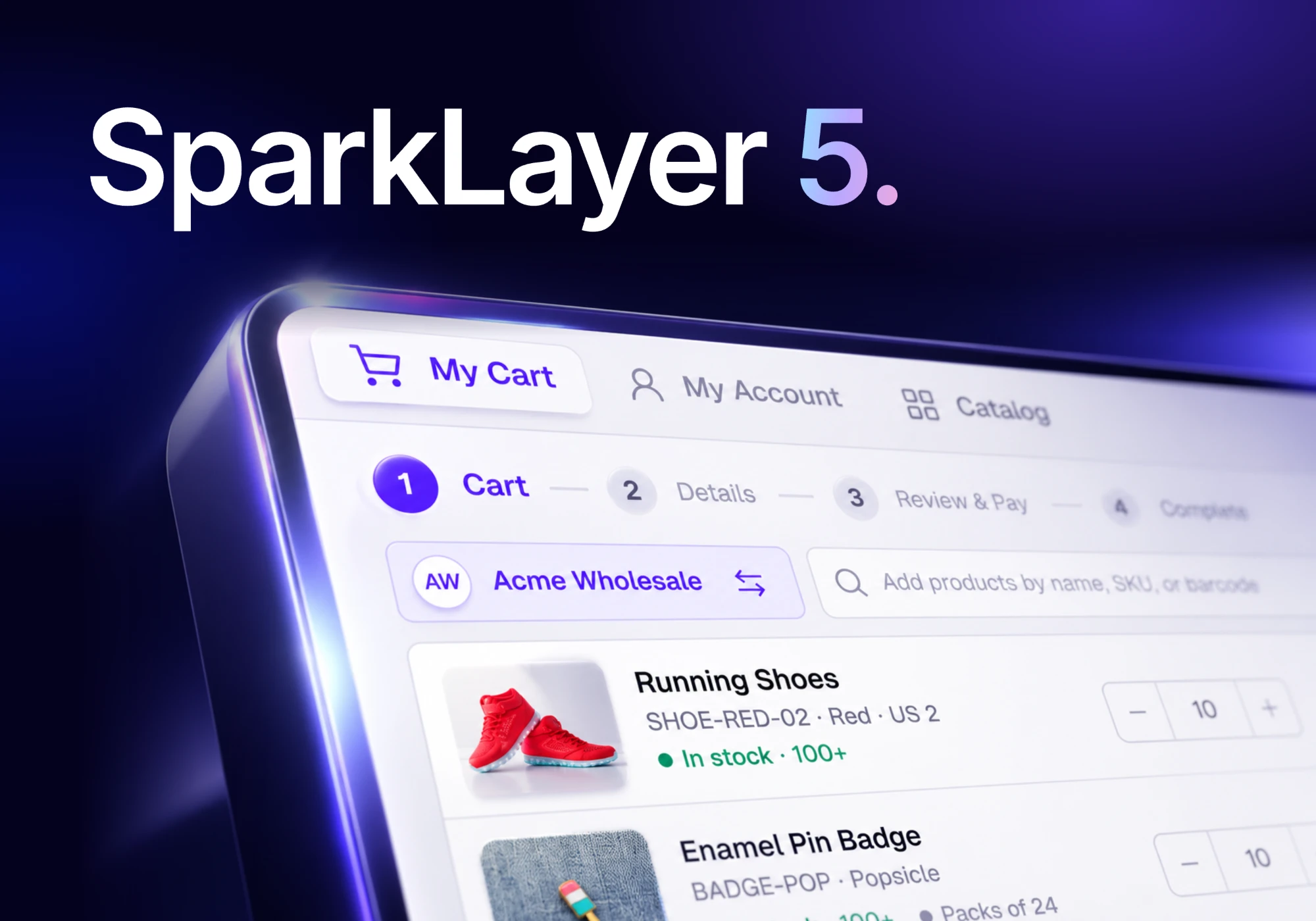
Same store. A whole new SparkLayer.
Today I'm excited to introduce SparkLayer 5, a major upgrade to the B2B experience you and your customers use every day.
We've redesigned My Cart, My Account and sales rep ordering. And we've added some of our most-requested features: visual ordering, Counter mode, smarter payment rules and company accounts that reflect how your customers actually buy.
A better way to run wholesale, on the store you already have. Here are five reasons to log in today.
- A new lookBetter, from cart to account
- CatalogVisual ordering for buyers and sales reps
- Payment rulesCheckout, on your terms
- CompaniesOne organised account
- MCPYour store in your AI tools
1. Better, from cart to account
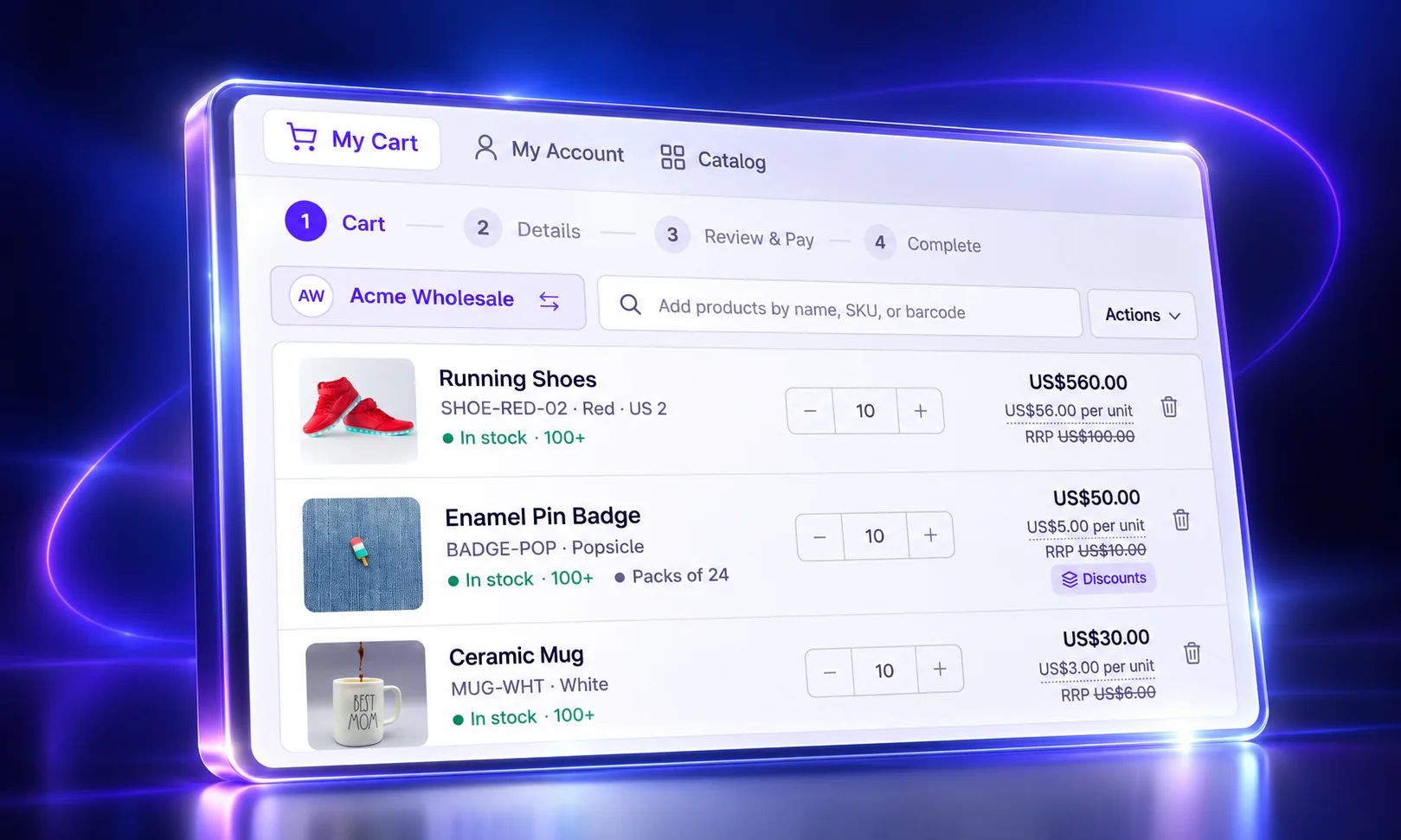
My Cart, My Account and sales rep ordering have been redesigned from the ground up. Customers and sales reps alike get cleaner screens, faster product search and a simpler path from basket to checkout.
- My Cart puts search by name, SKU or barcode at the top. Every line shows stock, pack size, price per unit and RRP. Checkout runs in four clear steps: Cart, Details, Review & Pay and Complete.
- My Account opens on recent orders and their payment and order status. Shopping lists, payment terms, the unpaid balance and the credit limit are all a click away.
- Sales rep ordering starts from your recently opened accounts and each customer's recent orders. Search by name, email or account number, and switch customer from the cart with Ordering for.
2. Your whole range. Ready to order.
Browse, search or scan your full catalogue and add products straight to an order. Customers buy faster, sales reps order on the go, and Counter mode gives your team a fast, POS-style way to serve trade customers face to face. The right pricing and rules are already applied.
Your sales reps see it as Catalog, and your customers see it as Quick Order. Search, filter by collection and switch between grid, list and matrix views. Every quantity respects your pack sizes and volume breaks.
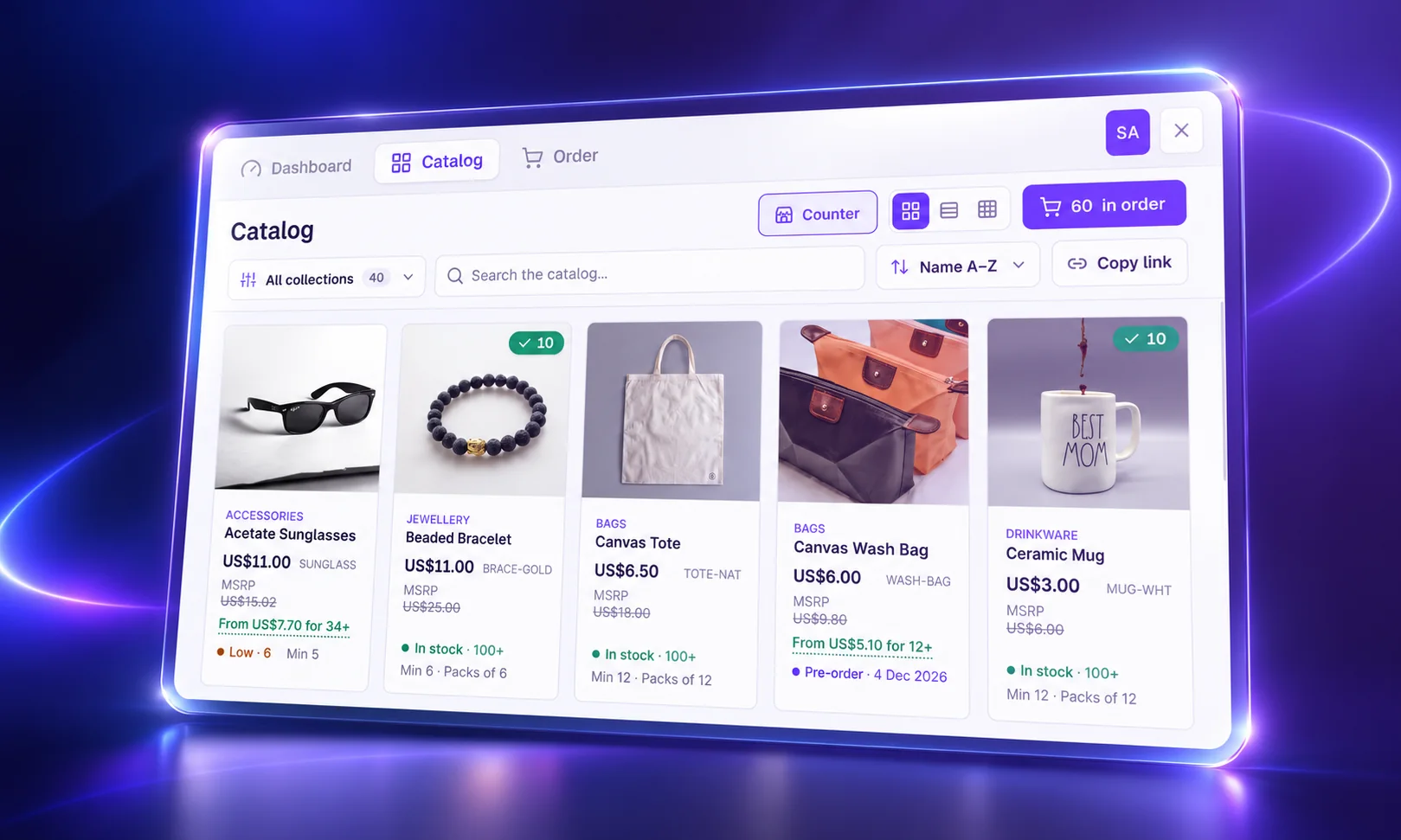
Counter mode is a POS-style till for your trade counter. When the customer is standing in front of you, it turns Catalog into a full-screen till for trade counters, showrooms and trade shows. Pick the buyer, scan or tap to add products and see their credit position as you go. Then check out on net terms, send a card payment link or turn it into a quote, there and then.
Catalog, Quick Order and Counter mode are on Starter and above. How Counter mode works
Catalog & Counter mode
Browse, search or scan your full catalogue and add straight to an order, or serve trade customers face to face with Counter mode.
Explore Catalog & Counter mode3. Checkout, on your terms.
Control which payment methods each customer group can use. Add discounts or surcharges, or hide a payment option entirely based on the order and your rules.
A rule can look at the order sub-total, the number of items, the customer's available credit, the products in the basket and where it's shipping. Add a small surcharge for paying by card. Offer a discount for paying upfront. Or only show net terms on orders big enough to earn them.
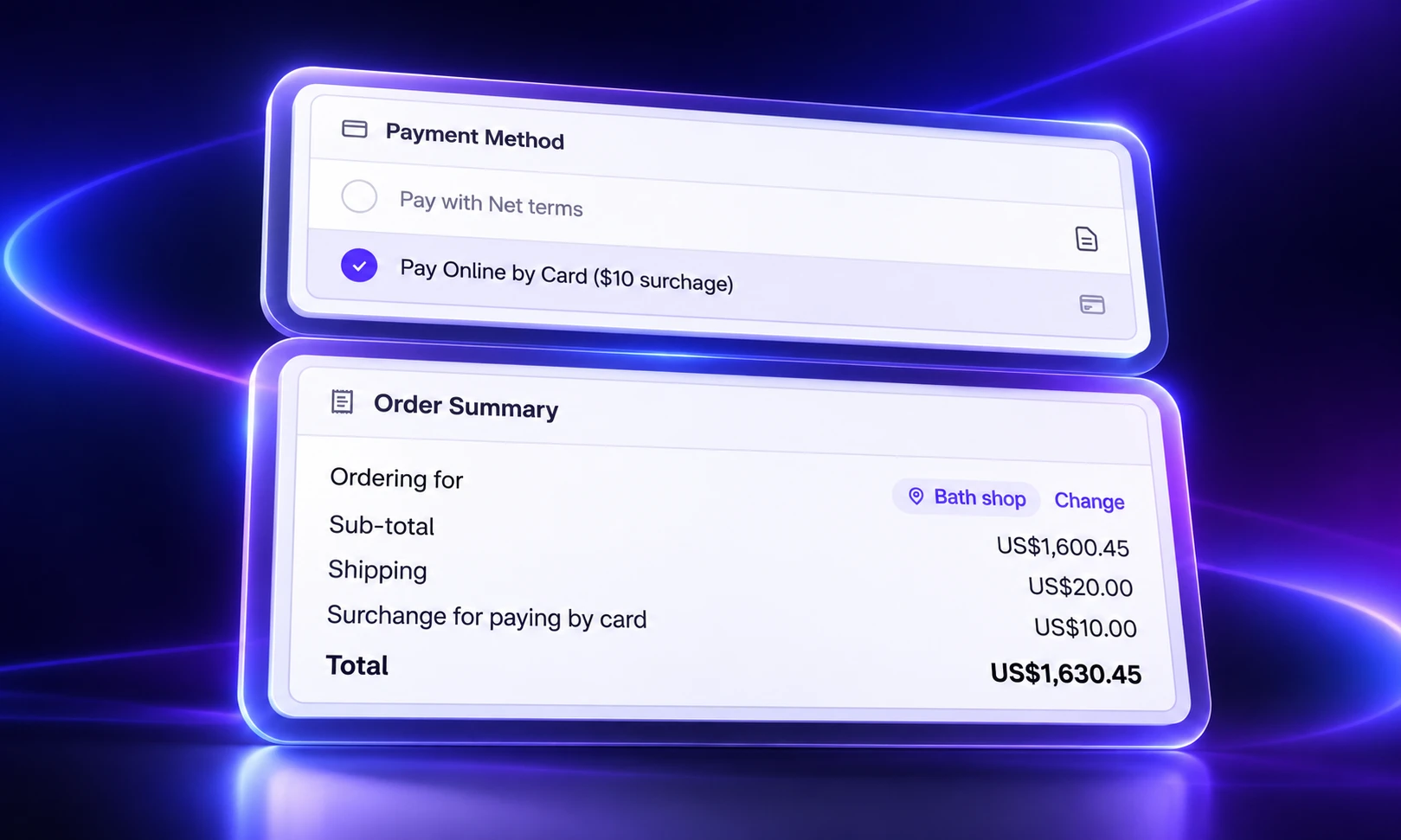
Payment method rules are for Shopify stores on Growth and above, with Core Script 4.13.0 or later. How payment method rules work
4. Big customers. One organised account.
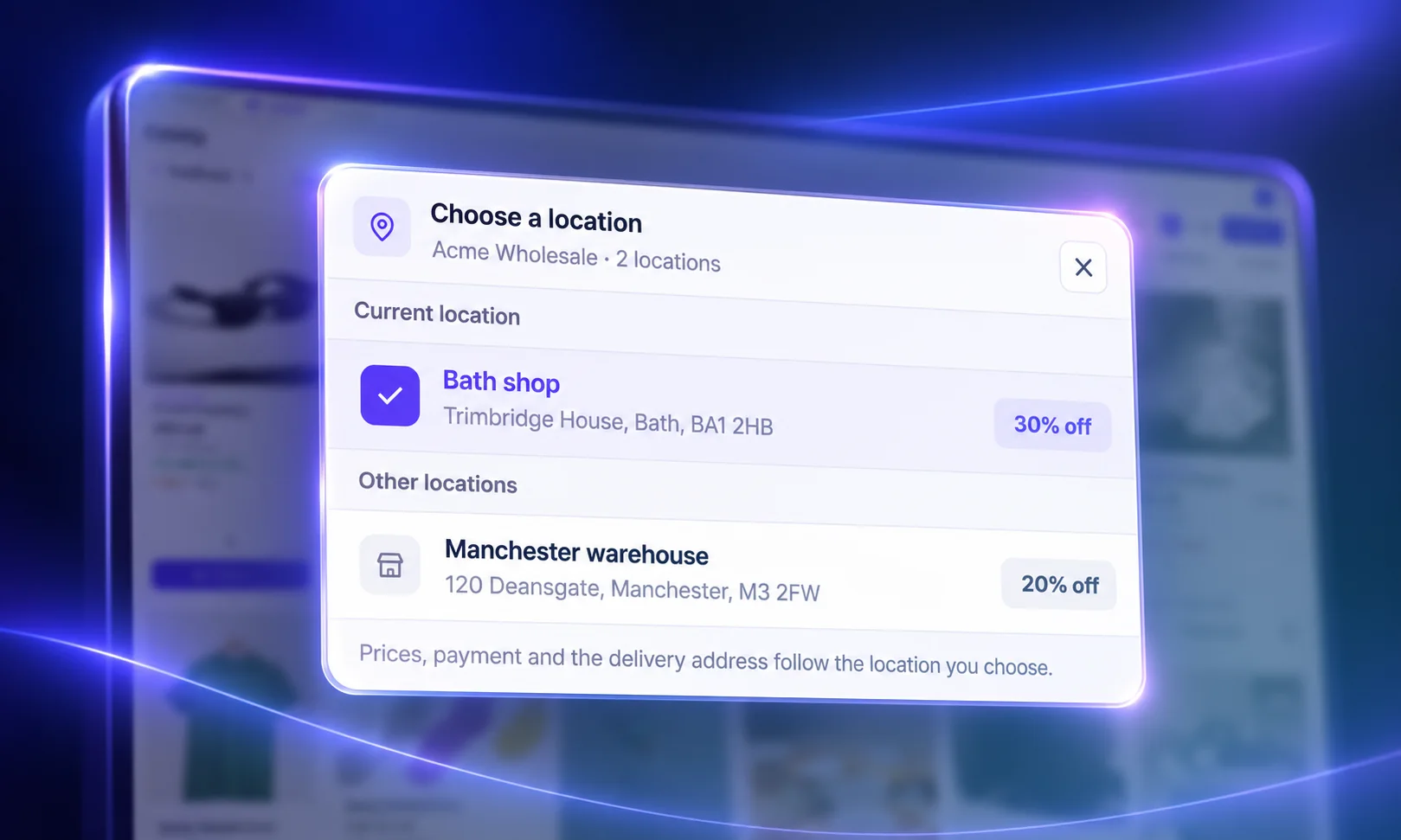
Bring head offices, branches and buying teams together under one company, with the right pricing, credit and permissions at every level. And keep your company structure connected to Shopify B2B.
Companies sync with Shopify B2B companies and locations in both directions. Set the customer group, price list, pay-later access, people and sales reps for each company. Then split it into locations, each with settings of its own.
Explore Companies & Teams · How to set up Companies
5. Your store. Inside your AI tools.
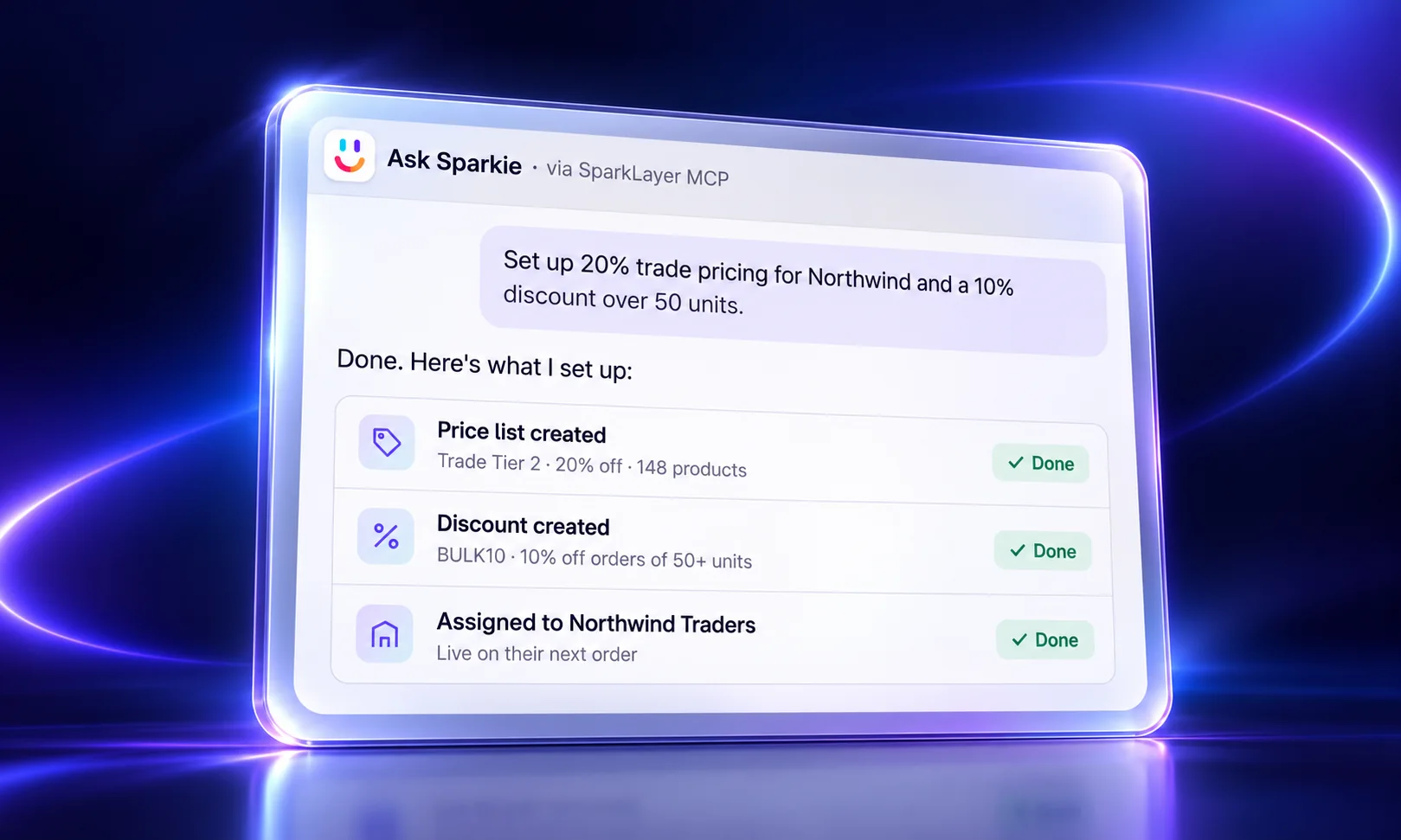
Connect SparkLayer to ChatGPT, Claude and other AI tools with SparkLayer MCP. Ask about customers, pricing and orders using the real data and rules in your SparkLayer account.
 ChatGPT
 Claude
Your team can prepare changes from the AI workspace they already use, with SparkLayer's permissions still in charge.
Next up: a better way to sell
SparkLayer 5 makes it easier for your customers to buy. SparkLayer Pulse is the next step: showing your sales team who needs attention, why, and what to do next.
It brings your customers, orders, quotes and invoices into one view for you and your sales reps, with Sparkie, your own sales agent, built in.

Get a first look at SparkLayer Pulse
Upgrade to SparkLayer 5
SparkLayer 5 is available now.
- New stores get the latest version automatically.
- Pinned to an older Core Script version? Upgrade in the SparkLayer Dashboard (Storefront › Widgets › Core script version), or in the Shopify app (SparkLayer Wholesale › Storefront › Widgets › Core script version).
- What's on your plan: What's new shows which features come with each plan.
Roundup
Same store. A whole new SparkLayer. Your customers get a cleaner way to buy. Your team gets visual ordering and a POS-style till for the trade counter. You get more control at checkout, company accounts that match how your biggest customers work, and your store in the AI tools you already use.
Upgrade to SparkLayer 5, take a look, and tell us what you think. I can't wait to hear!
Explore more
- What's new in SparkLayer 5
- Catalog & Counter mode
- Companies & Teams
- SparkLayer AI and MCP
- Introducing SparkLayer Pulse